
Formulary
Pair (map) products with pharmacy medications, cover every state so Prescribe isn't greyed out, check medication costs, hide what you don't use, and set default directions.
Formulary lists every medication your enabled pharmacies carry, what each costs you, and which of your products it is paired ("mapped") to, so providers know what to send. Left menu → Formulary. Client Admin; Client Staff can view and export but not change pairings. With no pharmacy enabled yet, the page reads No pharmacies enabled.
What you can do here
- Pair a product with its medications
- Pair a medication with your products
- Cover every state you sell in
- Check what a medication costs you
- Hide medications you'll never use
- Set default directions (sig)
Pair a product with its medications
Use this when a product shows Needs pairing, or you're setting one up.
Open the pairing sheet
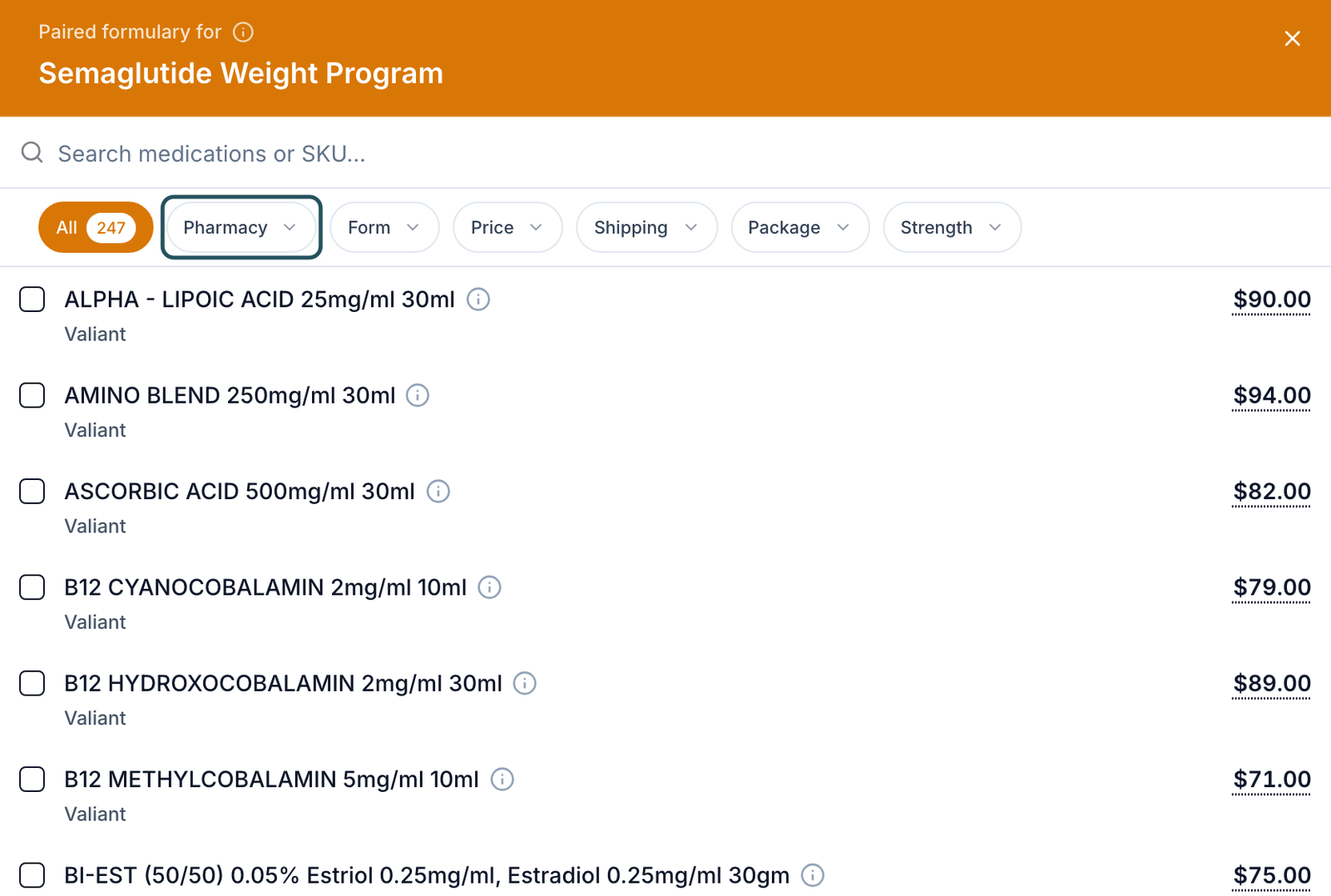
Left menu → Products. In the Paired formulary column, click the product's pill (Needs pairing or N medications).
Narrow the list
In Paired formulary for the product, search, or filter by Pharmacy, Form and Strength.
Tick the medications
Tick every medication and strength providers may send for this product, from each pharmacy you want to use. Changes save as you tick; close the sheet when done.
You'll know it worked when the pill reads 1 medication or N medications.
Who can do this: Client Admin. Only products that come from your provider network can be paired; your own direct-sale items show Client-owned.
Pair a medication with your products
Use this to work through a pharmacy's catalog.
Show what's left
Click a pharmacy pill (for example Valiant) and set All Pairings to Unpaired.
Open the row
Click No pairings in the Paired products column.
Tick the products
In Paired products, tick each product this medication serves, then click Done.
You'll know it worked when the cell reads 1 product or N products.
Who can do this: Client Admin.
Cover every state you sell in
Use this when a provider says Prescribe is greyed out, or an order is held because of the patient's state.
Find the gaps
On Products, set the Formulary filter to Partial state coverage, then hover a product's pill: it lists the Missing states.
Add a pharmacy that ships there
Open the pill and also tick the same medication from a pharmacy that ships to those states. Integrations shows each pharmacy's coverage, such as 49/50 states.
You'll know it worked when the product leaves the Partial state coverage filter.
Who can do this: Client Admin.
How routing works: pairings are your preferred options, not a fixed route. At prescribing, the provider only sees paired medications that ship to the patient's state and picks one; there is no automatic priority. If none ship there, the provider sees This medication does not ship to the state and can't send.
Check what a medication costs you
Use this before you set a product's price.
Find it
Search Search medications or SKU…, or filter by Price range, Strength or Package size.
Read the row
Price is the pharmacy's charge to you, Shipping its shipping, Total both. Export CSV downloads the list.
You'll know it worked when you have the Total to build the patient price on Products. A dash means no published price.
Who can do this: Client Admin and Client Staff.
Hide medications you'll never use
Use this to shorten a long pharmacy catalog.
Hide
Click Hide at the end of the row (Hide this medication from the formulary), or tick rows and hide them together.
Bring back
Click Show hidden (N) above the table.
You'll know it worked when the row leaves the list and Show hidden (N) appears.
Who can do this: Client Admin.
Set default directions (sig)
Use this so prescriptions start with the right directions, quantity and days supply.
Open it
Click Directions on the row. The Medication directions sheet opens.
Fill and save
Fill Directions, Dispense qty and Days supply, then Save (or Save & next).
You'll know it worked when the Directions filter counts it under Directions set. Providers can still edit them.
Who can do this: Client Admin.
Statuses you'll see here
| Status | What it means | Who acts next | What you do |
|---|---|---|---|
| No pairings | No product uses this medication | You | Pair it, or hide it |
| Needs pairing (Products) | Product can be paired but isn't | You | Pair it |
| No pharmacy (Products) | No formulary pharmacy is enabled | You | Enable one on Integrations |
| Unavailable / Inactive pharmacy | The pharmacy dropped the item, or is switched off | You | Pair another medication |
What can go wrong
| What you see | Why | Fix |
|---|---|---|
| Provider says Prescribe is light blue or greyed out | No paired medication ships to the patient's state. | Cover that state, then ask the provider to retry. |
| Messages → Notifications: isn't paired with a medication and pharmacy or can't ship … to a state | The order is held before review. | Click Pair medication, fix the pairing, then Check again. |
| No Paired formulary column on Products | It hides on narrow windows. | Widen the window to at least 1024 px, or scroll the table sideways. |
| Only a few medications, where you expect hundreds | A pharmacy pill or filter is on, or you hid them. | Clear filters; click Show hidden (N). |
| A medication or strength is missing, or can't be unticked | The catalog comes from the pharmacy; your network set that pairing. | Ask your network (or OnlyScripts, via Support) to add it or change it. |
Questions people ask
What is the difference between the formulary and clicking pair?
Formulary is the pharmacies' medication list. Pairing links one of your products to the medications providers may send for it.
How does GEN choose among multiple paired items?
It doesn't. Every paired medication that ships to the patient's state is offered, and the provider picks. Tell your network your preference if you have one.
Is the Formulary price what the patient pays?
No. It's your cost; the patient pays the Price you set on the product.
I can't do pairings for products created by us.
Correct: only network products can be paired. Duplicate the network product and rename it instead.
Related
Was this helpful?