
Settings — Logs
Check whether a patient got an email or text, read the exact message and why it failed, send an email again, and export the log.
Settings — Logs is the record of every email and text GEN Health sent to your patients and team, plus texts patients sent back: who got what, when, whether it arrived, and the exact message. Left menu → Settings → Logs. Client Admin only. Every client account has it.
What you can do here
Check whether a patient got an email or text
Use this when a patient says they never got a sign-in link, form request, reminder or order update.
Pick the channel
Open the Email and SMS filter and choose Email only or SMS only if you know which it was.
Search for the patient
Type their name, email or phone number in Search recipient or subject…. All statuses and All types narrow it further.
Read the status
Check the Status column (see Statuses you'll see here).
Open the message
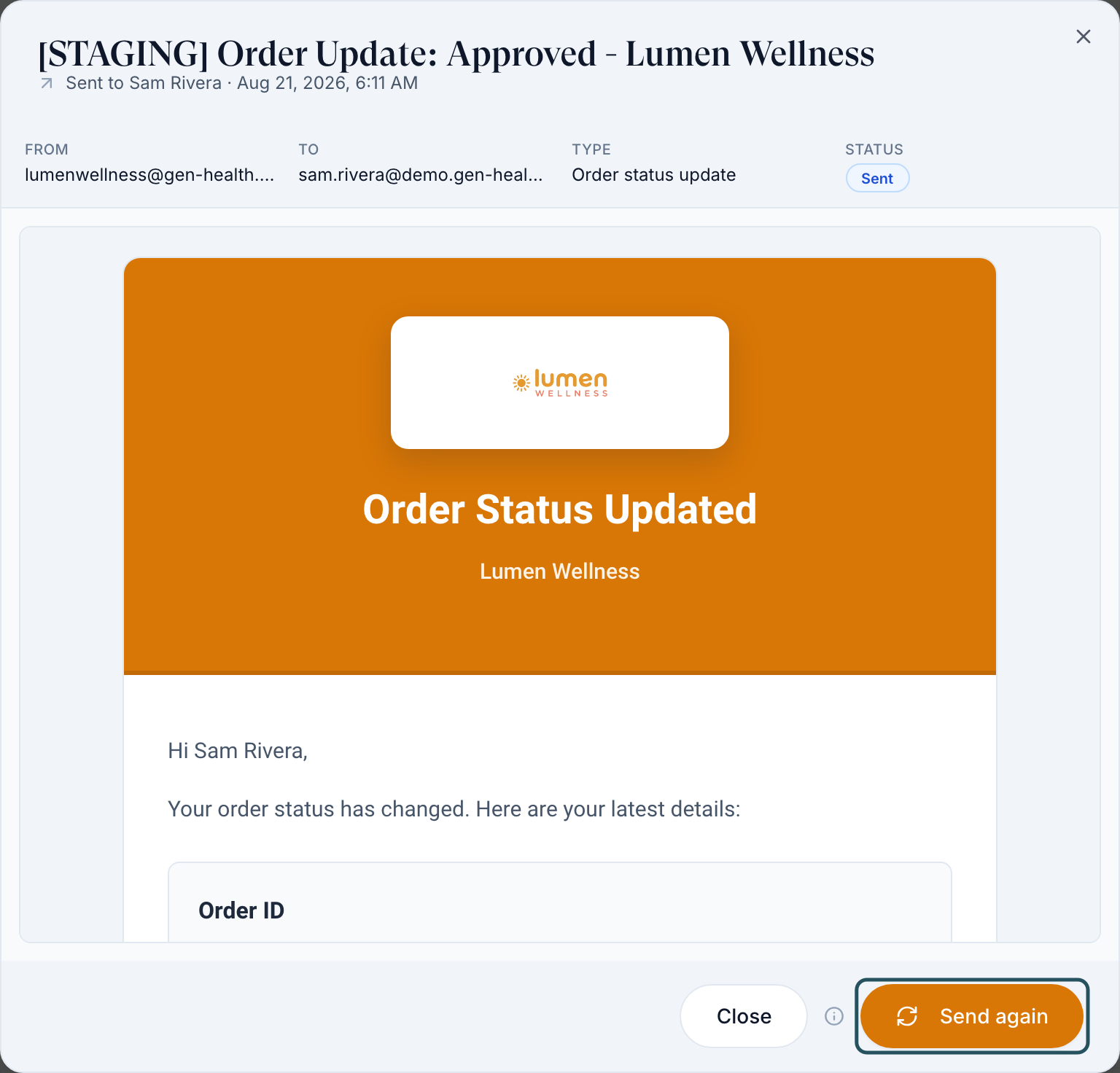
Click the row. The dialog shows From, To, Type, Status, a red line with the reason if it failed, and the exact message the patient received.
You'll know it worked when you can see the message the patient was sent, or see that none was.
Who can do this: Client Admin. Client Staff can't open Logs; ask a Client Admin to check.
Send an email again
Use this when an email was lost or deleted and the content is still correct.
Open the row
Click the email's row (or right-click it and choose View message).
Send it again
Click Send again. It sends the exact same message to the same address; nothing is updated first.
You'll know it worked when the toast reads Email queued to send again and, after Refresh, a new row appears.
Who can do this: Client Admin. Texts, messages still sending, and messages received from patients can't be sent again. If the content is out of date, message the patient from Messages instead.
Export the log
Export
Filter the table, then click Export CSV → Export what's in the table.
You'll know it worked when a CSV downloads with when, channel, recipient, subject, type and status. Message text is never included.
Who can do this: Client Admin.
Statuses you'll see here
| Status | What it means | Who acts next | What you do |
|---|---|---|---|
| Sent / Delivered | Handed over or accepted by the patient's mail or phone provider | The patient | Ask them to check spam, or confirm the address on their profile |
| Pending / Processing / Queued / Sending / Scheduled | Not sent yet | GEN Health | Wait, then Refresh |
| Undelivered / Failed | It didn't arrive: bad address, blocked number or bounce | You | Open the row for the reason, fix the contact detail, then Send again |
| Cancelled | GEN Health stopped it before sending, usually because patient emails are switched off | You | Check Settings → Notifications |
| Received | A text a patient sent you (green arrow) | You | Reply from Messages |
What can go wrong
| What you see | Why | Fix |
|---|---|---|
| Many rows read Cancelled | Disable patient emails and SMS is on, or that email type is off in Portal experience | Turn them back on. Cancelled messages are not re-sent automatically. |
| A patient's sign-in link email never arrives | The patient is archived or not active, so the link can't work | Restore the patient in Patients, then send a new link. |
| Search finds nothing you know was sent | The table loads 50 rows at a time and search only covers loaded rows | Pick the channel first, then scroll to load more. |
| No row for a message your provider network or pharmacy sent | Logs only lists messages sent under your account | Ask the network, or check the order's History. |
| A re-sent email still shows the old price or status | Send again repeats the stored message | Message the patient from Messages. |
Questions people ask
A patient says the sign-in email never arrived. How do I check?
Search their email here. Sent means it left GEN Health; ask them to check spam. Cancelled means patient emails are switched off. No row at all means it wasn't sent; send a new link from Patients.
Why didn't the patient get an email when their prescription was delivered?
Emails go out up to shipping, with tracking. Delivery only updates the status the patient sees in the portal.
The form request shows as sent but the patient says they got nothing. What happened?
Open the row. If it's Cancelled or Failed, the red line gives the reason; fix it and send the request again from the patient's profile.
Can I resend a text message?
No. Only emails can be sent again. Message the patient from Messages instead.
Related
Was this helpful?