
Support
Create a support ticket and pick the right recipient: GEN Health for the software, your provider network for clinical and prescription questions, OnlyScripts for shipping, tracking and medication.
Support is where you ask GEN Health, your provider network or OnlyScripts for help, and where your patients' requests to your team arrive. Left menu → Support. Client Admin and Client Staff.
What you can do here
Choose who to ask
Use this before every ticket. The recipient card you pick decides who reads it, and the wrong one costs days.
GEN Health: the software
Logins and access, settings, billing and payments, integrations and the API, anything broken, lab ordering problems.
Your provider network: clinical care
Reviews that sit, denials, doses and quantities on a prescription, protocols and new products, licensed states, visits and scheduling. The card shows your network's name.
OnlyScripts: the pharmacy
Where a shipment is, tracking, a pharmacy rejection or hold, medication questions (storage, vial size), pharmacy availability, an address change after the pharmacy has the order.
You'll know it worked when the topics offered after you pick a card match your question.
Who can do this: Client Admin and Client Staff.
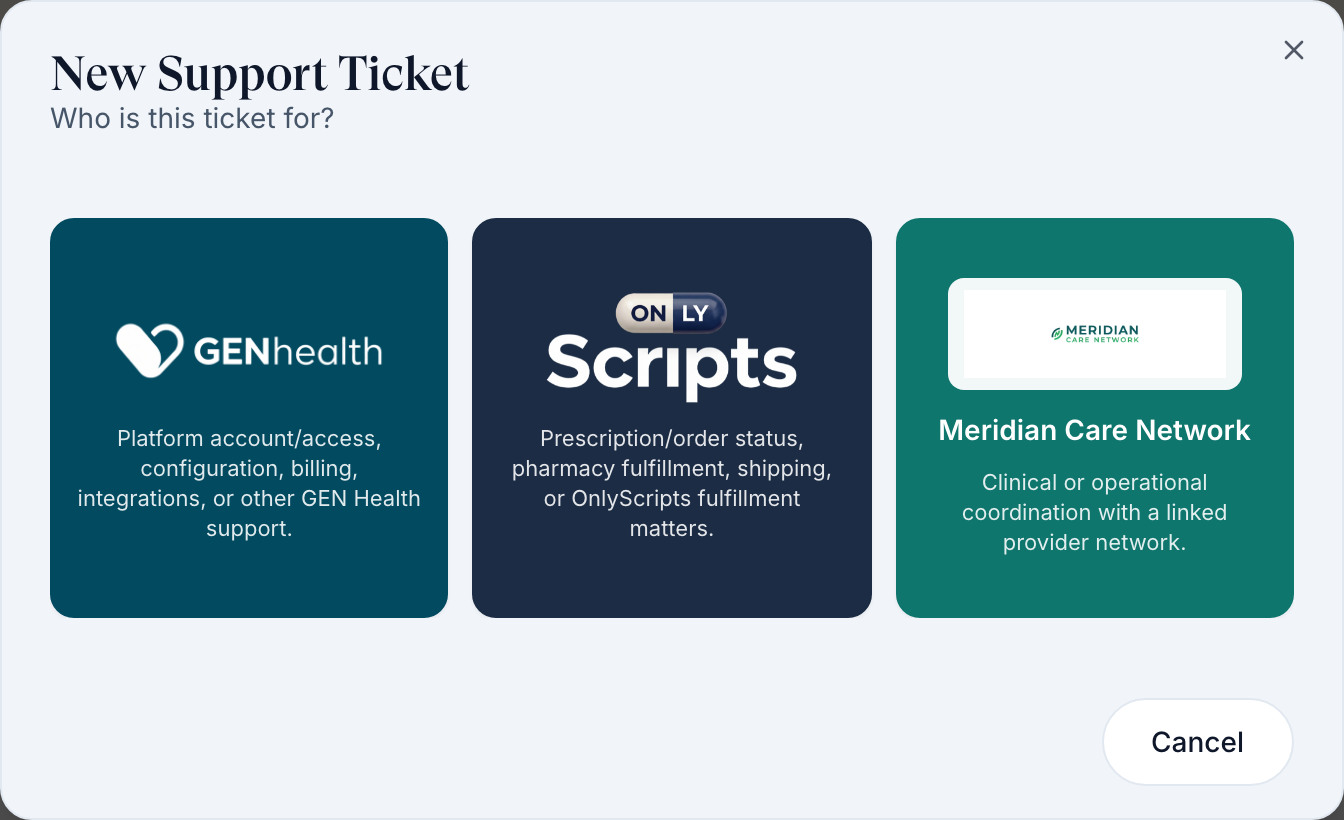
Who handles what: GEN Health can't change a prescription, and OnlyScripts can't switch a prescription to another pharmacy: the provider has to void and resend it. Send those to your provider network.
Create a ticket
Use this when a guide doesn't solve it.
Start
Click Create Support Ticket (top right) and pick the recipient card.
Pick a topic
Click the card that fits, such as Orders & fulfillment or Technical issue / bug.
Describe it
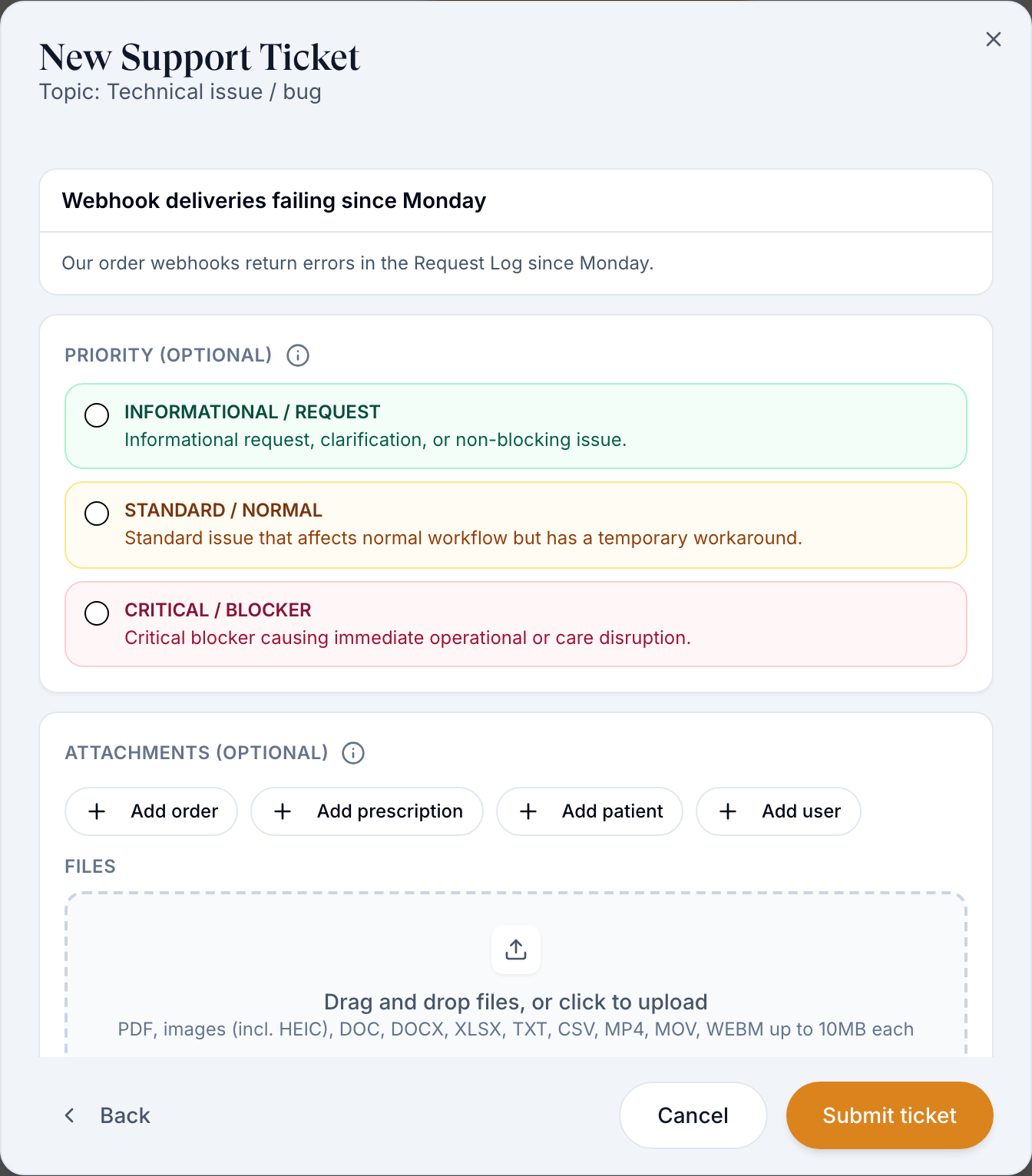
Fill Subject (one line) and Description. OnlyScripts tickets need the Patient and then the prescription or order. A Prescriptions ticket to your network needs the pharmacy.
Check related help
As you type, Related help may show the answer. This answered my question closes without a ticket.
Click Next
Pick a priority if you like (Informational / Request, Standard / Normal, Critical / Blocker) and attach records with Add order, Add prescription, Add patient or Add user, or drop in files.
Submit
Click Submit ticket.
You'll know it worked when the ticket is listed on Your Support Tickets as Submitted.
Who can do this: Client Admin and Client Staff.
Follow up on a ticket
Use this to answer a question from support or add details.
Open it
Click Your Support Tickets, then the ticket's row. It shows your team's tickets, not just yours.
Reply
Type in Reply to support… and attach files if needed. Response Requested means they're waiting for you.
You'll know it worked when your reply appears in the thread.
Who can do this: Client Admin and Client Staff.
Answer patient requests
Use this when patients send requests from their portal.
Open Incoming Requests
The tab lists requests your patients sent your team. Click one to read it.
Reply and track
Reply in the thread, set Status and Priority, and assign it to a teammate.
You'll know it worked when the request's status changes in the list.
Who can do this: Client Admin and Client Staff. Patients can send requests only if you add Support to their menu: Settings → Portal experience → Patient dashboard → Sidebar menu.
Statuses you'll see here
| Status | What it means | Who acts next | What you do |
|---|---|---|---|
| Submitted | Sent, not picked up yet | The recipient | Wait |
| Processing | Someone is working on it | The recipient | Wait |
| Response Requested | They need your answer; it closes itself after three days without one | You | Reply |
| Complete / Cancelled | Closed | No one | Not solved? Answer No to Was your issue resolved? to reopen it |
Other statuses: Statuses and terms.
What can go wrong
| What you see | Why | Fix |
|---|---|---|
| Your network hasn't replied | Networks work their own queue, and some reply slowly. | Message them on Messages with the ticket subject. |
| GEN Health replies "ask your provider network" | The question is clinical or about a prescription. | Create the ticket again with your network's card. |
| Prescription or order says Some records could not be loaded. | Known problem with the record list on OnlyScripts tickets. | Try again. If it persists, send the ticket to GEN Health with the order ID in the description. |
| A patient sees patient support is not enabled for this organization | Support isn't in their portal menu. | Add it under Settings → Portal experience. |
Questions people ask
Should a late shipment go to GEN Health or OnlyScripts?
OnlyScripts. Pick the patient and the order so they can look it up with the pharmacy. Check the order's tracking on Orders first: many "late" orders have shipped.
Who changes a dose, quantity or directions on a prescription?
Your provider network. Only the provider can send a corrected prescription.
Why does it ask me to select a patient?
OnlyScripts tickets need the patient and the exact prescription or order so the pharmacy can find it.
Can my staff see tickets I created?
Yes. Your Support Tickets shows tickets from everyone on your team.
Related
Was this helpful?