
Complete your account setup
The setup wizard a new Provider Network Admin answers on first sign-in: your details, the network's address, GEN Health billing and the agreements, plus what to set up next.
On your first sign-in, a setup wizard stays in front of the app until you answer up to four questions. It opens by itself; afterwards, click your name at the bottom of the left menu → Review onboarding. Provider Network Admin.
What you can do here
- Finish the setup wizard
- Get the network ready for providers
- Change what you entered
- Look through the wizard again
Finish the setup wizard
Use this on every sign-in until the wizard is done. Each screen's title is a question.
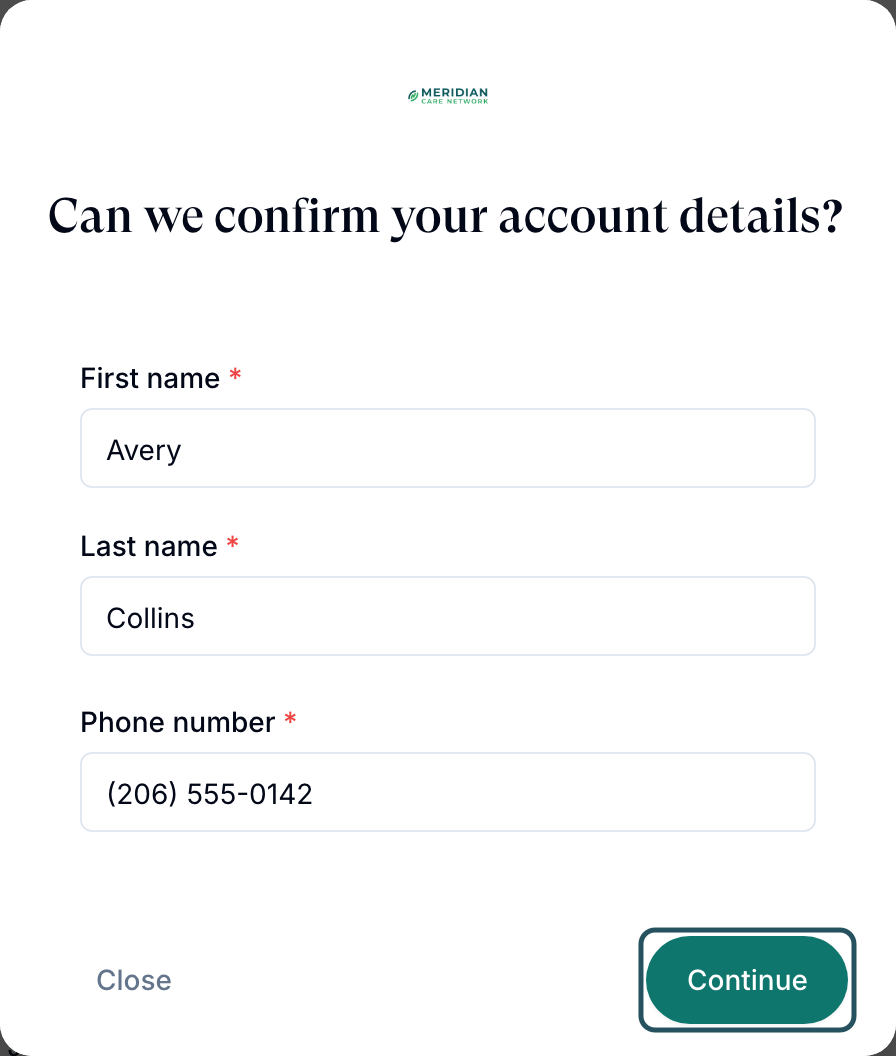
Confirm your details
Can we confirm your account details? Check First name, Last name and Phone number, then click Continue.
Say where the network is based
Where is your provider network based? Enter the physical street address, city, state and ZIP code, then Save and continue. It registers your providers with the pharmacy network, so don't use a PO box.
Set up GEN Health billing, or skip it
How should we set up your GEN Health billing? Add the card your network pays GEN Health with and click Continue, or click Skip for now. Patients don't pay you here.
Accept the agreements
Ready to review the required agreements? Tick Terms and Conditions, Privacy Policy and HIPAA and business associate obligations, then Complete setup.
Choose where to start
Onboarding complete offers Invite providers to your network, Set up intake forms and Configure network branding; Close opens your Dashboard.
You'll know it worked when Onboarding complete appears and the wizard doesn't return at your next sign-in.
Who can do this: Provider Network Admin. Only the first admin gets the address question, and billing appears only if your invitation included a plan. To leave without finishing, use Log out.
Get the network ready for providers
Do these straight after the wizard so providers can work on day one.
Set your time zone and hours
Settings → Network overview: set Timezone and Network Hours. Providers can only add availability inside these hours.
Invite your providers
Providers → Add Provider.
Connect patient payments
Billing holds the processor that takes patient money.
Turn on e-prescribing
Integrations → ScriptSure → Set up.
You'll know it worked when you can tick Invite your team and Connect your payment processor on the Dashboard's Set up your account card.
Who can do this: Provider Network Admin.
Change what you entered
You don't need to rerun the wizard to update an answer.
Name and phone
Click your name at the bottom of the left menu, change the fields in Edit Account Information and click Save changes.
Network address
Settings → Network overview → Business address.
GEN Health card and agreements
Settings → Account and billing: Payment method holds the card; View agreements shows what you accepted.
You'll know it worked when the new value shows after saving.
Who can do this: Provider Network Admin.
Look through the wizard again
Use this to check your answers or show a new admin what they will see.
Open your account
Click your name at the bottom of the left menu.
Review onboarding
Under Onboarding, click Review onboarding. Continue saves a screen again; Close leaves.
You'll know it worked when the first question appears with Close instead of Log out.
Who can do this: any network user, on their own account.
What can go wrong
| What you see | Why | Fix |
|---|---|---|
| Invalid or expired magic link or Sign In Failed | Only the newest sign-in link works | Use the latest email, or ask whoever invited you for a new magic link. |
| The invitation or sign-in email never arrives | Your mail filter held it | Check spam, then ask another admin to click Send magic link on the Dashboard's Users card. |
| Setup says your email has already been used | One address holds one GEN Health account | Use another address for the second account, such as name+network@yourdomain.com. |
| Skip for now on billing did nothing | A known problem, fixed July 2026 | Refresh and try again; if it persists, contact Support. |
| You added a card but patients can't pay | That card pays your GEN Health bill | Set up the patient processor in Billing. |
Questions people ask
Can I skip billing and add the card later?
Yes. Add it later in Settings → Account and billing. Nothing else can be skipped.
How do I switch between my admin and provider accounts?
Click Log out, then Switch Account in Confirm Logout, and choose the other account.
Related
Was this helpful?