
Go live
Take a client live: get it ready, run one test order end to end in sandbox mode, then approve the go-live request on your Dashboard (or turn sandbox mode off yourself).
Take a client from sandbox testing to real patients: run one test order, then approve their go-live request. Left menu → Dashboard → Action items. Provider Network Admin of the client's primary network. Available while the client is in sandbox mode.
What you can do here
- Get the client ready to test
- Run an end-to-end test order
- Approve the go-live request
- Turn sandbox mode off or on yourself
Get the client ready to test
Do this before you ask the client to place a test order.
Set the client up
Protocols, providers and visit fees: follow Onboard a new client end to end.
Put it in sandbox mode
Clients → the client → Configuration → tick Sandbox mode. Everything works except that prescriptions and lab orders aren't sent out.
Check your providers
The Dashboard's Onboarding tile reads 0; the client's providers have verified licences in the test states.
Check your rules
Review Settings — Operations and your operating hours.
You'll know it worked when the client's profile shows Sandbox mode ticked.
Who can do this: Provider Network Admin of the client's primary network.
Run an end-to-end test order
One order run all the way through catches what settings pages miss.
The client buys as a patient
From their storefront, in a private window, with a test email and a 100% promo code, completing payment, intake and labs.
Find the visit
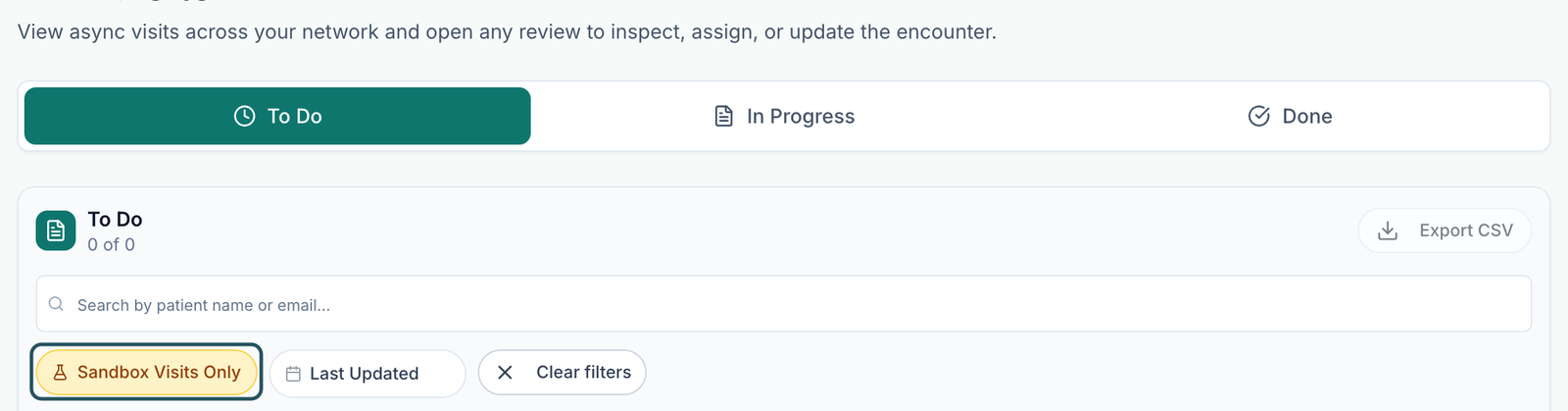
In Visits (ASYNC), click Live Visits Only so it reads Sandbox Visits Only. Test visits are hidden by default.
Chart it
A Provider claims it and checks the sections, questions and approve wording you set, then records a decision.
Prescribe
The prescription is written but stops with This client is in sandbox mode. Prescriptions are not sent to the pharmacy while sandbox mode is on. That's expected.
Follow the order
In Orders, every gate should be cleared.
Clean up
The client cancels test orders (Orders → row menu) before going live.
You'll know it worked when the test visit has a decision and its order has no open blocker.
Who can do this: the client places the order; a Provider charts it.
Approve the go-live request
This is the switch that takes a client live.
The client requests it
Their Client Admin clicks SANDBOX MODE at the bottom of their left menu → Request go-live.
Find the card
Your Dashboard → Action items shows Go-live request with the client's name.
Approve
Click View client profile to double-check, then Approve.
You'll know it worked when the card disappears and SANDBOX MODE leaves the client's menu. New prescriptions and lab orders now go to pharmacies and labs.
Who can do this: Provider Network Admin of the client's primary network. The client can request but never approve.
Turn sandbox mode off or on yourself
Use this when the client can't send a request, or to test again.
Open Configuration
Clients → click the client → Configuration.
Change it
Untick Sandbox mode to go live; tick it to test again. It saves at once.
You'll know it worked when the toast reads Sandbox mode disabled (or enabled).
Who can do this: Provider Network Admin of the client's primary network, or GEN Health Support.

What can go wrong
| What you see | Why | Fix |
|---|---|---|
| The test order never reached a provider | Test visits are hidden, or a form or payment isn't done | Switch to Sandbox Visits Only; if there's still no visit, read the order's blocker in Orders. |
| A real patient's prescription won't send; it mentions sandbox mode | The client is still in sandbox mode | Approve the go-live request, or untick Sandbox mode. |
| The client sees Your account needs a primary provider network before you can request go-live. | No primary network is set | Ask GEN Health in Support to assign one. |
| A real payment landed in the payment processor's test mode | The processor's test mode is separate from sandbox mode | The client checks their processor keys are live in Billing, then asks GEN Health Support about that order. |
Questions people ask
Is there a separate sandbox environment or API key?
No. Sandbox mode is a setting on the live account, so nothing needs setting up again at go-live.
Does a test order reach a real clinician?
Yes. Your providers see it under Sandbox Visits Only and can chart it; only the pharmacy and lab sends are blocked.
Must test orders be cancelled before sandbox mode is turned off?
Yes, so no test order is fulfilled once the client is live.
Related
Was this helpful?